
Omnichannel Routing: What It Is and How It Works

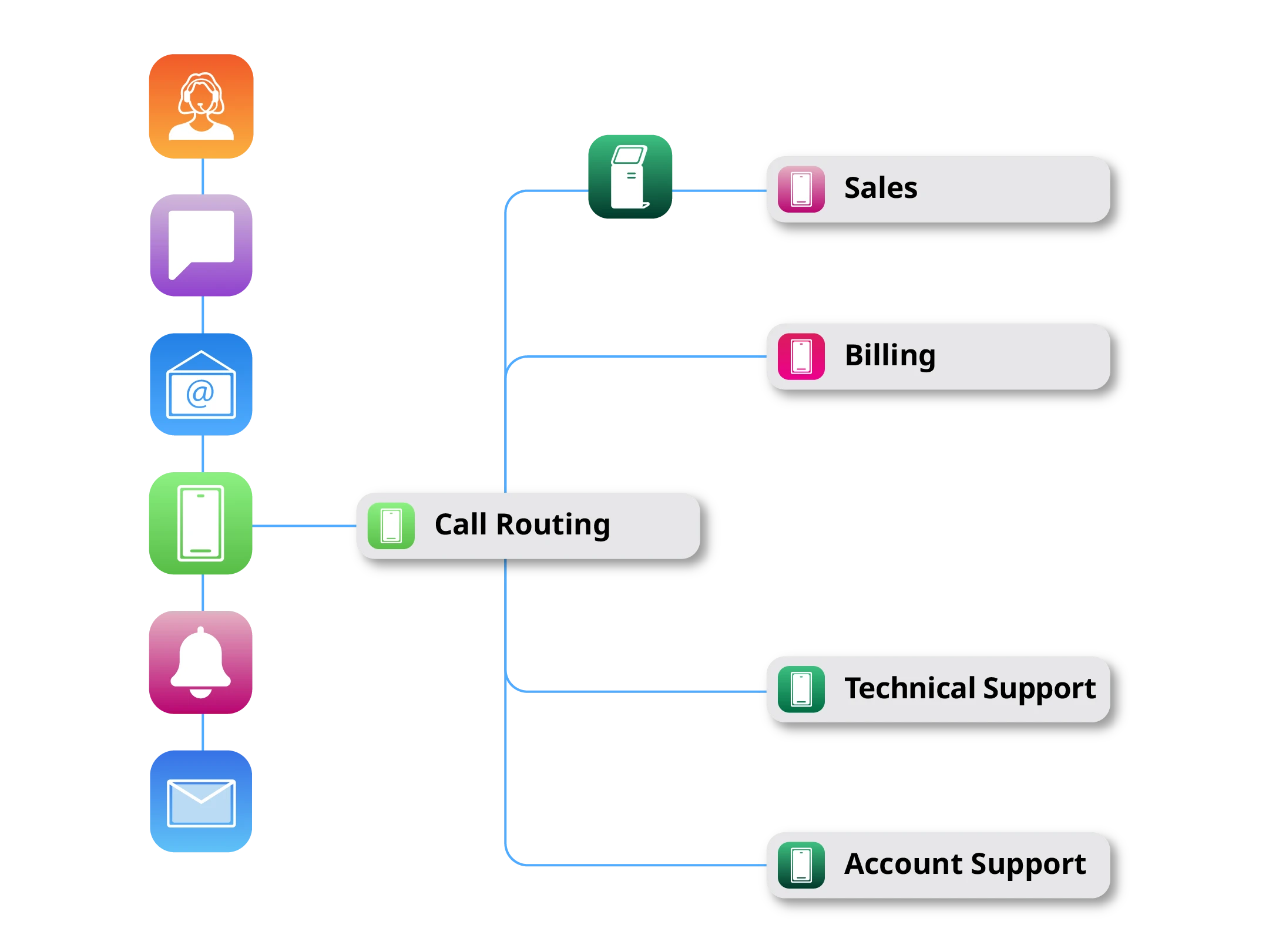
In customer communications, especially where they initiate inbound contact, you might come across the term "omnichannel routing." Omnichannel routing is the process of directing customer interactions across multiple channels (voice, chat, email, SMS, social, and messaging apps) to the best available resource for resolution. That resource might include a self-service tool, an FAQ, or personalized microsite that addresses the customer's issue, a live agent equipped to help them.
But the key to omnichannel routing, as it coordinates the customer's path from channel to channel, is to preserve the full customer context from start to finish. This ensures the customer's journey continues without losing their history, intent, or progress.
Here, you'll find a comprehensive guide on omnichannel routing. We'll start with what it is and how it works, plus the types of routing and why organizations use them. From there, you'll learn how agent availability and skill-based routing combine to guide customers to the right resource.
Lastly, we'll look at its execution: where routing typically underperforms, how to choose a solution, and the practical fixes and metrics that improve speed to resolution and context continuity.
What Is Omnichannel Routing?
Omnichannel routing connects channels and systems so a customer can start an interaction in one place (e.g., chat) and continue it in another (e.g., voice) without losing context. Unlike multichannel routing, which treats each channel as a separate, disconnected experience, omnichannel routing carries the full customer record (account history, prior conversations, open issues, etc.) along with the interaction as it moves between channels and resources.
Why Is Omnichannel Routing Important?
When routing is poorly configured across channels, customers can tell. They have to repeat themselves. They click around, lost on your website. They get transferred too often. They wait too long for the right agent. SQM Group's benchmarking data shows customer satisfaction sits at 67% when a cross-channel interaction is fully connected, compared to just 28% when it's a disconnected multichannel experience. That's a 39-point swing driven by whether context carries over.
Poor routing also has the downstream effect of overloading contact center specialists. Many organizations still struggle with this because data and routing logic are siloed. So this is another symptom of broken context across channels: When context doesn't follow the interaction, omnichannel routing decisions become guesses. That's how you get more misrouted cases, inconsistent AI-to-human handoffs, and preventable transfers.
How Omnichannel Routing Works
Omnichannel routing typically follows six steps, from the moment an interaction starts to the point it's resolved.
Detect the channel. Omnichannel routing first identifies whether the interaction starts in voice, chat, email, SMS, social, or messaging apps. Example: A customer who opens a return request over SMS is recognized and tracked differently than someone who calls in.
Understand intent and urgency. Routing rules and (where available) AI or natural language processing (NLP) determine what the customer needs and how quickly the issue must be handled. Example: Keywords like "cancel" or "not working" signal higher urgency and can trigger priority-based routing.
Pull in customer context. Account history, prior conversations, open issues, and sentiment signals are assembled, so the customer doesn’t have to supply them or start over. Example: A customer abandons a cart in chat and follows up by phone, and then reaches an agent who already sees that cart and conversation.
Route to the best resource. Omnichannel routing assigns each interaction to the optimal agent, queue, FAQ, or AI assistant. The goal is to match the customer to the fastest path for resolution, rather than the first live agent in the queue or an agent group that’s already at capacity. Example: A billing dispute triggers a self-service microsite, where the customer can have their questions answered by an AI chatbot tailored to their unique billing situation, rather than a broad support line where the call may sit unresolved or require a transfer.
Escalate without losing context. If the first destination can’t resolve the issue, the full context transfers so the next resource can immediately pick up where the previous one left off. Example: An AI assistant hands off a complex claim to a live agent, the agent receives the transcript, issue summary, and any steps already completed (not just the ticket).
Adjust as conditions change. Omnichannel routing continuously monitors queue conditions, traffic spikes, and agent workloads, then updates routing decisions in real time. Example: During a service outage, a sudden surge in related cases triggers priority-based handling and geographic routing. This might involve routing by customer location, language, and time zone to the nearest qualified team, within regional operating hours, and in line with any applicable regulatory requirements. Customers can still get their issue resolved through self-service or the right specialist without unnecessary delays.
Types of Omnichannel Routing
Omnichannel routing isn't a single mechanism. Most organizations combine several routing types depending on the interaction, the resource available, and the urgency involved.
Routing Type | Description | Example |
Skill-based routing | Interactions are matched to the agent or team with the right expertise. | A technical troubleshooting question routes to a product specialist rather than a general support agent. |
Queue-based routing | Interactions are grouped into queues by category, product line, or team, and handled in order (often alongside priority rules). | All billing inquiries feed into a dedicated billing queue rather than the general support line. |
Priority-based routing | Interactions are ranked and routed based on urgency, SLA commitments, or customer value. | A case from an enterprise account nearing an SLA breach jumps ahead of routine requests. |
Capacity-based routing | Interactions are distributed based on real-time agent or team availability and workload limits. | Chat requests overflow to a secondary team once the primary team hits its concurrency limit. |
Geographic-based routing | Interactions are routed based on customer or agent location, time zone, preferred language, local business hours, or regional compliance requirements. | An urgent case is routed to a regional specialist team that meets local compliance and language requirements without adding delay. |
AI-assisted routing | AI or natural language processing analyzes intent, sentiment, and context to route automatically or to hand off to the right human resource. | An AI assistant resolves a simple password reset directly and escalates a billing dispute to a live agent with full context attached. |
Most mature omnichannel routing strategies layer these types together.
Benefits of Omnichannel Routing
When it's configured well, omnichannel routing delivers tangible gains in terms of customer experience, agent efficiency, and operational cost.
Faster resolution. Interactions reach a capable resource sooner, reducing wait times, encouraging self-help and unnecessary transfers.
Fewer repeat explanations. Context follows the customer across channels, so agents don't ask customers to restate their issue.
Stronger SLA adherence. Priority-based routing ensures high-urgency and high-value interactions are handled inside required time windows.
Better agent efficiency. Skill- and capacity-based routing prevent any one team from becoming a bottleneck, keeping the workload balanced.
Improved scalability. Overflow paths, digital self-help and AI-assisted routing let organizations absorb traffic spikes without degrading service.
Higher CSAT and loyalty. Less friction, faster resolution and fewer transfers promote customer satisfaction and retention.
How to Improve Omnichannel Routing
1. Improve Customer Context Sharing Across Channels
Better omnichannel routing starts with better context. Focus improvements on unified customer profiles that consolidate key routing data, CRM, and contact-center integrations. This way, routing uses real customer context instead of channel-only information, as well as clear context continuity requirements (for example, authentication status, issue summary, and previous steps completed).
2. Refine Routing Rules Instead of Adding More of Them
Adding more routing rules can backfire in omnichannel support. Large rule stacks are tricky to audit, complicated to troubleshoot, and more prone to misrouting when a single input (like intent, customer tier, or account status) is missing or outdated. Instead of stacking on more conditions, anchor routing decisions to intent and priority first, and let skills and capacity fill in from there. A leaner rule set is also easier to maintain: retiring stale or overlapping conditions on a regular basis keeps routing accurate as products, teams, and channels evolve.
3. Rebalance Queue Design and Agent Capacity
Even with accurate intent detection, omnichannel routing still leaves customers waiting if too many interactions land in one specialist agent group or if capacity settings don't reflect real traffic patterns. Review queue structure to eliminate "catch-all" queues, build overflow paths so spikes don't trap customers in long waits, and tune capacity assumptions using real demand by channel, including concurrency limits for chat or messaging.
4. Strengthen AI-to-Human Handoffs
Smooth escalation is everything. If customers have to restate their issue after an AI interaction, the benefit if AI is lost on both customers and agents. Define a minimum "handoff package" that must transfer during escalation: intent and urgency, a short summary of the issue, the transcript or key excerpts, account status and relevant identifiers, and actions already taken.
5. Prioritize High-Value and High-Urgency Interactions
Not every interaction should be treated the same. Omnichannel routing works best when your priority logic is tied to clear SLAs, urgency, and business impact. Then channel prioritization determines the fastest appropriate path to resolution. Essentially, you're defining a channel order: for example, voice or live chat for time-critical issues, email for non-urgent requests, and messaging for quick updates or simple intents. You can also set rules for when messaging should escalate to voice or a human agent, such as when the customer's intent requires specialist handling or when SLA risk is detected.
6. Treat Omnichannel Routing as a System You Continuously Optimize
Routing isn't set-and-forget. Build an improvement loop around resolution paths, transfer reasons, queue performance, routing accuracy, and customer feedback.
Metrics: How You Can See Whether Omnichannel Routing Is Improving
The financial case for better omnichannel routing is pretty direct. According to SQM Group's first-call-resolution benchmarking, every 1-percentage-point improvement in first-contact resolution corresponds to a 1% reduction in operating costs, a 1% lift in customer satisfaction, and a 1.4-point increase in transactional Net Promoter Score.
When you track the impact of omnichannel routing improvements in your organization, focus on KPIs that show both customer outcomes and routing quality. Key measures include:
Metric | What Improvement Looks Like |
First-contact resolution rate | More issues are resolved without a second interaction or transfer |
Routing accuracy | More interactions reach the right destination on the first attempt |
Transfer rate | Fewer cases need unnecessary handoffs |
Queue wait time | Customers reach a capable resource faster |
First reply time | Customers get an initial response more quickly across channels |
Context continuity | Customers repeat themselves less and switch channels less per case |
SLA adherence | High-priority interactions are handled inside required time windows more consistently |
Self-service containment rate | AI or self-service resolves more simple issues without harming escalation quality |
AI escalation quality | When AI does hand off, the next agent receives usable context and resolves the issue faster |
CSAT/NPS | Customer satisfaction and loyalty improve as friction decreases |
When these metrics improve together, routing is working—and not just shifting volume around channels or queues.
Checklist and Implementation Steps
You'll also want to work through both a diagnostic checklist and a phased rollout:
Diagnostic checklist
Audit routing logic and identify which rules drive the highest volume routes.
Identify the top transfer reasons and the queues where transfers most frequently originate.
Check for context gaps between systems (CRM, contact-center platform, knowledge base, and case management).
Review queue design for bottlenecks, including specialist backlogs and "catch-all" queues.
Validate agent capacity settings, channel concurrency limits, and overflow paths.
Implementation steps
Map key journeys and top intents: Start with the highest-volume and highest-friction interactions.
Integrate data for context continuity: Prioritize integrations that affect routing decisions the most.
Clean up routing rules and tune capacity: Remove stale logic, define explicit priorities, and validate concurrency and workload assumptions.
Pilot changes in controlled phases: Test with a subset of intents or teams before expanding.
Baseline and track KPIs: Measure routing accuracy, transfer rate, wait times, and context continuity before and after each change, then iterate.
What Is an Omnichannel Routing Solution?
An omnichannel routing solution is the platform or set of tools that executes the routing logic described above: detecting the channel, reading intent and context, and matching each interaction to the right agent, queue, or self-service resource. This typically lives inside a contact center platform (CCaaS), a customer engagement or orchestration layer, or a combination of the two integrated with a CRM.
These solutions vary widely in how much of the process they handle on their own. Some focus narrowly on one channel or one routing type. Others coordinate multiple routing types together across every channel, with context carried automatically from one step to the next. That range in capability is why choosing the right solution is pivotal to how well omnichannel routing works in production.
How to Choose an Omnichannel Routing Solution
Selecting the right platform matters as much as the routing logic itself. When evaluating options, look for:
Broad channel support: Native support for voice, chat, email, SMS, social, and messaging apps, not just channel-specific add-ons.
Customizable routing logic: The ability to configure skill-based, queue-based, priority-based, and capacity-based rules without heavy custom development.
Real-time capacity and workload visibility: Live tracking of agent availability, concurrency limits, and queue conditions so routing adjusts as conditions change.
Strong prioritization and escalation support: Built-in SLA triggers, precedence rules, and a defined handoff package so escalations don't lose context.
Flexible human-and-AI coordination: Support for AI-assisted routing and self-service, with clean handoff to human agents when needed.
Reporting and analytics: Visibility into routing accuracy, transfer reasons, and queue performance so teams can keep optimizing after launch.
How CSG Can Help
Most of the pain points covered in this guide—like misrouted cases, repeat explanations, and other contact center fumbles—trace back to routing logic that guesses at intent instead of detecting it. CSG's AI-assisted routing solution replaces the guesswork with intent-based routing that reaches up to 98% accuracy across 46+ languages, trained on inbound customer contacts rather than generic language data.
Because CSG's solutions overlay existing phone numbers, chatbots, IVR, CCaaS, and BPO contracts, most deployments go live in under six months without a rip-and-replace project. One global technology company using this approach cut misrouted calls from 60% to under 30% and reduced live-agent call volume by 43%. Once an inbound contact begins, CSG's customer engagement platform, CSG Xponent, carries that context forward, coordinating next-best actions and follow-up so the interaction keeps moving instead of stalling at the handoff.

Related Resources

RCS vs. SMS: A Practical Comparison for Mobile Messaging Programs

Don't Hide the Humans: Why a First Contact Resolution Approach to AI Will Be Key in Customer Care

Full Inboxes, Failed Delivery: Adapting Your Omnichannel Engagement for Email Storage Limits